 |
Morse Micro IoT SDK
2.9.7
|
|
Morse Micro IoT SDK
2.9.7
|
M2M Controller example application.
The m2m_agent.c and m2m_controller.c example applications demonstrate how to use the MMAGIC M2M interface.
To setup this demonstration you will need the following:
mm-ekh08-u575 reference platform (See Morse Micro IoT Reference Platforms) - this includes a ST NUCLEO-U575ZI-Q board as the motherboard.NUCLEO-U575ZI-Q development boardFor the purposes of this demonstration the mm-ekh08-u575 will be the agent and the standalone NUCLEO-U575ZI-Q board will be the controller. The two boards will communicate over the SPI bus, so connect the SPI buses on the two ST NUCLEO-U575ZI-Q boards together in a 1:1 configuration. Connect them up as shown in the table below:
| Pin | On Agent - mm-ekh08-u575 | On Controller - NUCLEO-U575ZI-Q |
|---|---|---|
M2M_SPI_MOSI | PD4 on connector CN9 | PD4 on connector CN9 |
M2M_SPI_MISO | PD3 on connector CN9 | PD3 on connector CN9 |
M2M_SPI_SCK | PB13 on connector CN7 | PB13 on connector CN7 |
M2M_SPI_NSS | PB9 on connector CN7 | PB9 on connector CN7 |
GND | Any convenient GND pin | Any convenient GND pin |
For an example of M2M communications over UART, see the cli.c application which has an M2M mode.
The Wi-Fi SSID and password are hard coded in m2m_controller.c as this application is very basic and does not support saving settings using persistent store. The controller application is kept simple to allow easy porting of the controller to any platform. Update SSID and SAE_PASSPHRASE as appropriate for your test setup and build the m2m_agent and the m2m_controller applications as shown in Building Firmware.
m2m_agent.elf firmware into the mm-ekh08-u575 device as explained in Programming. Ensure you have loaded the Board Configuration File (BCF) and set the 2 letter country code in the wlan.country_code setting in persistent storage as described in Setting Application Configuration.m2m_agent application by resetting the device or issuing the continue command in gdb. You should see the following message on the console: m2m_controller.elf firmware into the bare ST NUCLEO-U575ZI-Q as explained in Programming. Note that the controller does not have any persistent storage and so you do not need to load any BCF files or settings into persistent storage as you would do with proper Morse Micro IoT Reference Platforms.m2m_controller application by resetting the device or issuing the continue command in gdb. You should see the following message on the console: m2m_agent application. In addition to an example TCP client that connects to a web server and the beacon monitor example, the m2m_controller also demonstrates how to use TCP server sockets to serve multiple incoming TCP client connections.
ssh (Alternatively, you can do this from your computer if the access point has been setup in bridged mode.)For stress testing the TCP echo server, we provide you a tcp_echo_client.py file that you can run to open multiple connections to the TCP echo server on the controller and rapidly send and receive data from it. This script can also open multiple TCP connections in parallel if requested.
If your AP is configured in bridge mode, then you can run this script from any computer in the network. If not, you will need to copy this script to the access point and run it from a terminal session in the access point.
Once you see the following message on the controller:
You can issue the following command from the access point (Or your PC if the access point is configured for bridged mode):
This will open a connection to the TCP echo server and send and receive 10 packets. The script generates random data to send and verifies the correct data was echoed back by the TCP echo server.
Run the following command to see all options you can pass to the script.
Definition in file m2m_controller.c.
#include "mmhal.h"#include "mmosal.h"#include "mmutils.h"#include "mmagic_controller.h"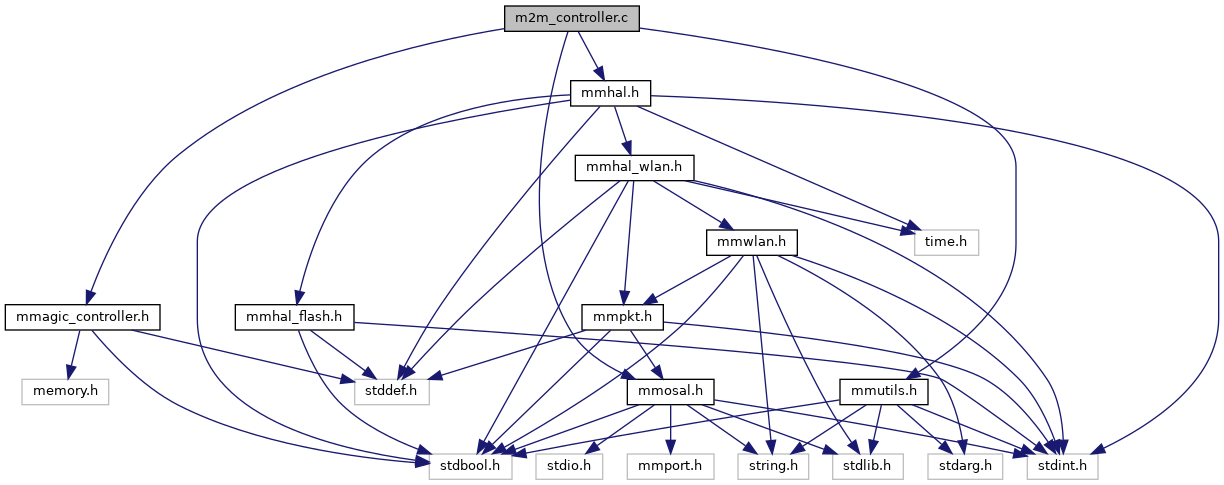
Go to the source code of this file.
Data Structures | |
| struct | beacon_monitor_thread_args |
| Arguments for beacon monitor task. More... | |
| struct | tcp_echo_server_thread_args |
| Arguments for TCP echo server task. More... | |
Macros | |
| #define | SSID MorseMicro |
| SSID of the AP to connect to. More... | |
| #define | SAE_PASSPHRASE 12345678 |
| Passphrase of the AP (ignored if security type is not SAE). More... | |
| #define | _STRINGIFY(x) #x |
| Stringify macro. More... | |
| #define | STRINGIFY(x) _STRINGIFY(x) |
| Convert the content of the given macro to a string. More... | |
| #define | LINK_STATE_TIMEOUT_MS 20000 |
| Duration to wait for the link to be established after WLAN reports connected. More... | |
| #define | TCP_ECHCO_SERVER_PORT 5000 |
| Port the the TCP echo server will bind to. More... | |
Functions | |
| void | agent_start_handler (struct mmagic_controller *controller, void *arg) |
| Handler for the "Agent start" callback. More... | |
| static bool | wlan_connect (struct mmagic_controller *controller) |
| This function illustrates how to establish a wlan connection using the mmagic_controller interface. More... | |
| static bool | is_wlan_connected (struct mmagic_controller *controller) |
| This function illustrates how to check if the agent already has an active connection. More... | |
| void | beacon_monitor_rx_handler (const struct mmagic_wlan_beacon_rx_event_args *args, void *arg) |
| Handler for the beacon monitor event handler callback. More... | |
| static void | beacon_monitor_example_start (struct mmagic_controller *controller) |
| This function illustrates how to subscribe to and receive custom vendor IEs from beacons. More... | |
| static void | tcp_client_example (struct mmagic_controller *controller) |
| This function illustrates how to open a tcp client, send and receive some data and close the connection. More... | |
| static void | tcp_echo_server_task (void *args) |
| This task handles a single incoming TCP connection. More... | |
| static enum mmagic_status | tcp_echo_server_start (struct mmagic_controller *controller, uint16_t port) |
| This function illustrates how to start a TCP server and listen for a connection. More... | |
| static void | run_examples_task (void *args) |
| Runs the examples. More... | |
| void | app_init (void) |
| Main entry point to the application. More... | |
Variables | |
| static struct mmosal_semb * | agent_started_semb = NULL |
| Binary semaphore used to indicate when an agent start notification has been received. More... | |
| #define _STRINGIFY | ( | x | ) | #x |
Stringify macro.
Do not use directly; use STRINGIFY().
Definition at line 183 of file m2m_controller.c.
| #define LINK_STATE_TIMEOUT_MS 20000 |
Duration to wait for the link to be established after WLAN reports connected.
Definition at line 188 of file m2m_controller.c.
| #define SAE_PASSPHRASE 12345678 |
Passphrase of the AP (ignored if security type is not SAE).
(Do not quote; it will be stringified.)
Definition at line 179 of file m2m_controller.c.
| #define SSID MorseMicro |
SSID of the AP to connect to.
(Do not quote; it will be stringified.)
Definition at line 172 of file m2m_controller.c.
| #define STRINGIFY | ( | x | ) | _STRINGIFY(x) |
Convert the content of the given macro to a string.
Definition at line 185 of file m2m_controller.c.
| #define TCP_ECHCO_SERVER_PORT 5000 |
Port the the TCP echo server will bind to.
Definition at line 191 of file m2m_controller.c.
| void agent_start_handler | ( | struct mmagic_controller * | controller, |
| void * | arg | ||
| ) |
Handler for the "Agent start" callback.
| controller | Controller instance handle. |
| arg | Opaque argument that was given at the time of callback registration. |
Definition at line 199 of file m2m_controller.c.
| void app_init | ( | void | ) |
Main entry point to the application.
This will be invoked in a thread once operating system and hardware initialization has completed. It may return, but it does not have to.
Definition at line 734 of file m2m_controller.c.
|
static |
This function illustrates how to subscribe to and receive custom vendor IEs from beacons.
See beacon_stuffing example application for more information.
| controller | Reference to the controller structure to use. |
Definition at line 419 of file m2m_controller.c.
| void beacon_monitor_rx_handler | ( | const struct mmagic_wlan_beacon_rx_event_args * | args, |
| void * | arg | ||
| ) |
Handler for the beacon monitor event handler callback.
| args | The event arguments from the Agent. |
| arg | Opaque argument that was registered along with the handler. |
Definition at line 373 of file m2m_controller.c.
|
static |
This function illustrates how to check if the agent already has an active connection.
Useful when the controller has restarted and reattaches to the agent.
| controller | Reference to the controller structure to use. |
true is a wlan connection and link was established else false Definition at line 282 of file m2m_controller.c.
|
static |
|
static |
This function illustrates how to open a tcp client, send and receive some data and close the connection.
It is currently hitting a http web-page so we just expect a very basic response from the http server.
| controller | Reference to the controller structure to use. |
Definition at line 451 of file m2m_controller.c.
|
static |
This function illustrates how to start a TCP server and listen for a connection.
It will echo back anything received on the connection once established.
| controller | Reference to the controller structure to use. |
| port | The TCP port to bind to. |
Definition at line 598 of file m2m_controller.c.
|
static |
This task handles a single incoming TCP connection.
| args | The arguments for this task. |
Definition at line 525 of file m2m_controller.c.
|
static |
This function illustrates how to establish a wlan connection using the mmagic_controller interface.
| controller | Reference to the controller structure to use. |
true is a wlan connection and link was established else false Definition at line 218 of file m2m_controller.c.
|
static |
Binary semaphore used to indicate when an agent start notification has been received.
Definition at line 208 of file m2m_controller.c.